The Inverse Hull Outline Technique
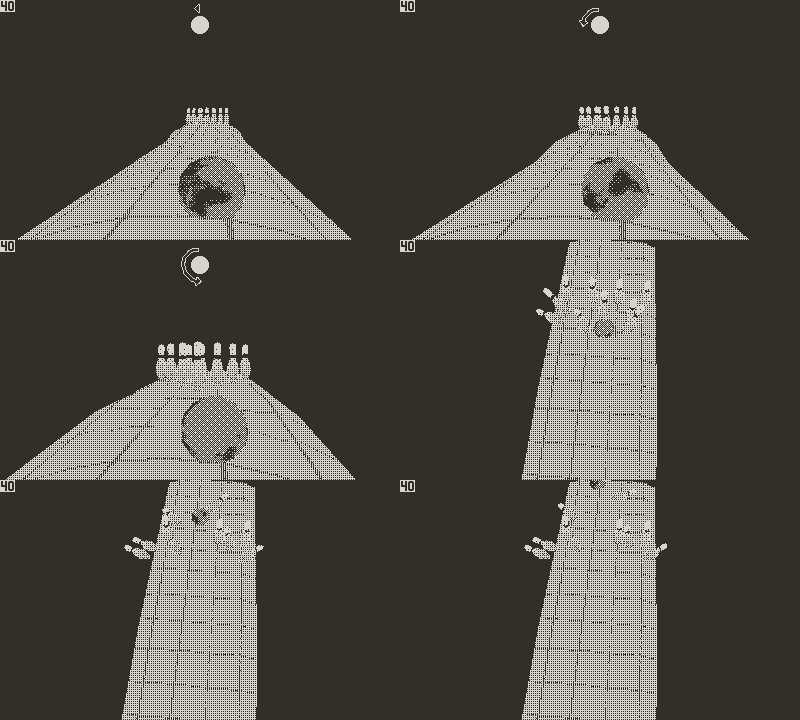
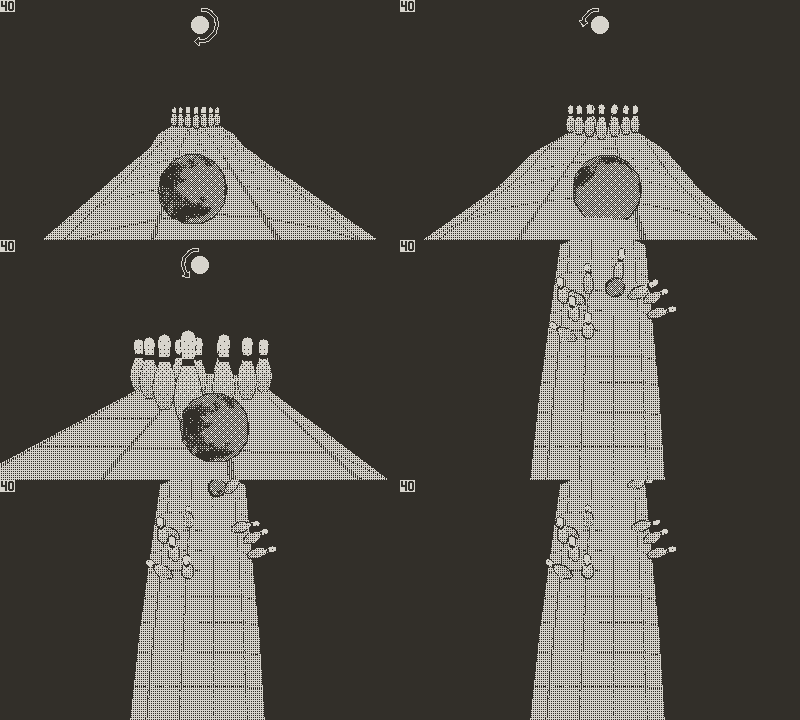
Outlining a thing in 3D I have been working on a 3D bowling game for the Playdate for quite a while, mostly as just a way to keep sharp on some programming problems that I don’t run into in my day job. A recent problem that I wanted to solve was that my bowling pins (and to some extent the ball, depending on skin) were hard to see on the limited display. If I were working in Godot or Unity or whatever, there would be a hundred plugins to handle exactly what I wanted if it wasn’t built in. Unfortunately for me, the Playdate doesn’t exactly have the horsepower to run a full 3D engine like that, and we’re working with a pretty limited toolkit. We’ll have to roll our own. I looked up some techniques on adding outlines to 3D objects. The one that seemed most feasible to me was the Inverse Hull technique. This is apparently the name for the technique to get those toony outlines around objects in a rendering pipeline. The quick version of the idea is roughly as follows: The first thing to do is make a copy of the original object: Then turn it inside out by winding the vertices the wrong way. Mini3D treats a null vertex as Then every frame, scale each point away from the center by a thickness (figured as a function of the distance between the camera and the object origin). The scaling can absolutely be made more complex, but I am working pretty much with cylinders and spheres here so I am not too worried about overengineering this. I don’t think this math would check out when scaling something that had branches, for instance. I am pretty happy with this. I made a wrapper to create an outlined version of any object in the scene by sending the “real” object node. This isn’t free. Drawing a second version of every pin and the ball means nearly doubling the total number of faces drawn every frame. In practice, this knocks me from a framerate in the high 30s while rolling down to the low 30s on device. I’m pretty content with the framerate hovering over 30 but it does mean that I am hitting the upper limit of what I can add to each scene. I think this game is destined to be lanes floating in an endless void.The Problem
The Solution
But How
	Shape3D *hull = m3d_malloc(sizeof(Shape3D));
	Shape3D_init(hull);
	Shape3D_retain(hull);
	Shape3D_setClosed(hull, 1);
	hull->center = shape->center;
	hull->nPoints = shape->nPoints;
	hull->points = m3d_malloc(hull->nPoints * sizeof(Point3D));
	memcpy(hull->points, shape->points, shape->nPoints * sizeof(Point3D));
	hull->nFaces = shape->nFaces;
	hull->faces = m3d_malloc(shape->nFaces * sizeof(Face3D));
memcpy(hull->faces, shape->faces, shape->nFaces * sizeof(Face3D));0xffff so that can be used to differentiate between a tri and a quad. for (int i = 0; i < hull->nFaces; i++)
{
Face3D *f = &hull->faces[i];
uint16_t p1 = f->p1, p2 = f->p2, p3 = f->p3, p4 = f->p4;
if (p4 == 0xffff)
{
f->p1 = p3;
f->p3 = p1;
}
else
{
f->p1 = p4;
f->p2 = p3;
f->p3 = p2;
f->p4 = p1;
}
f->colorBias = colorBias; //this is how the outline color is chosen. -1 for black.
}float scale(float dimension, float thickness) { return dimension > 0 ? 1 + thickness / dimension : 1; }
void OutlinedShape3D_setThickness(OutlinedShape3D *o, float thickness)
{
float scaleX = scale(o->halfExtents.dx, thickness);
float scaleY = scale(o->halfExtents.dy, thickness);
float scaleZ = scale(o->halfExtents.dz, thickness);
for (int i = 0; i < o->hull->nPoints; i++)
{
Point3D point = o->shape->points[i];
o->hull->points[i] =
Point3DMake(
o->boundsCenter.x + (point.x - o->boundsCenter.x) * scaleX,
o->boundsCenter.y + (point.y - o->boundsCenter.y) * scaleY,
o->boundsCenter.z + (point.z - o->boundsCenter.z) * scaleZ);
}
}The Result
void ball_add(Ball *ball, Scene3DNode *parent)
{
  if (SHOULD_OUTLINE)
  {
    ball->node = Scene3DNode_newChild(parent);
    outline_add(ball->node, OBJ_PATH, OUTLINE_BLACK);
  }
  else
  {
    //add it manually
  }
}
Downside